Embroidery digitizing, without the wait
Embrizo turns logos, drawings and pictures into machine embroidery files in seconds, right in your browser. We built it so anyone with an embroidery machine can go from an idea to a stitched design without desktop software or paying for every file.
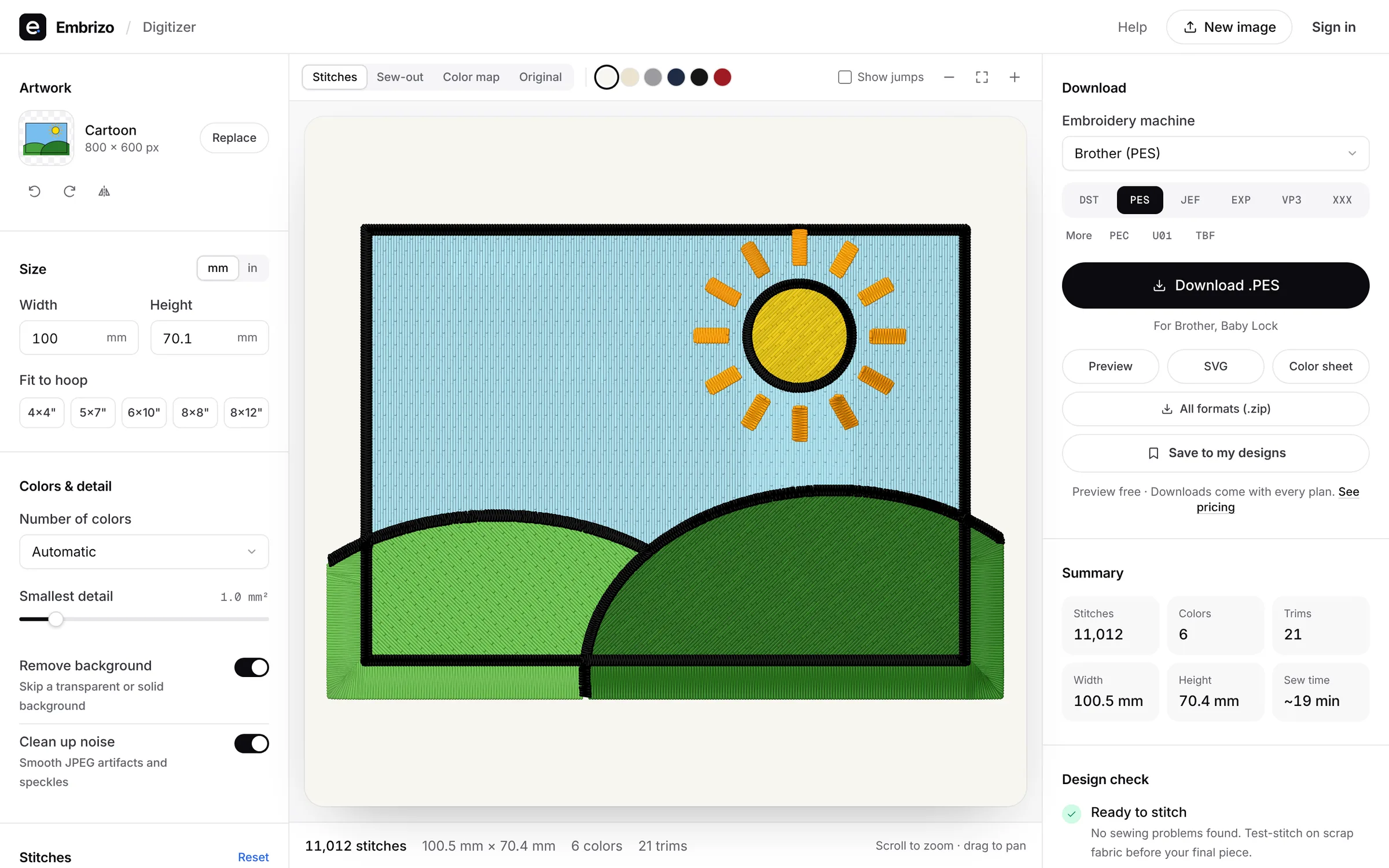
What happens when you upload an image
The same decisions an experienced digitizer makes, applied to every shape automatically, with every setting still yours to change.
Step 1
Reads your artwork
Separates the image into thread colors, removes a plain or transparent background and finds every shape, at the size you'll stitch.
Step 2
Plans every stitch
Chooses satin, tatami fill or running stitch for each shape, adds underlay and pull compensation for your fabric, and plans the sewing order to cut down trims.
Step 3
Writes your machine's file
Writes DST, PES, JEF, EXP, VP3, XXX, PEC, U01 or TBF to each format's specification. Every format is checked against independent readers.
Your images and designs stay yours
Images are digitized in your browser. The original image isn't uploaded: when you save a design or download a file, only the finished stitches are stored in your account or used to write the file.
You own the artwork you digitize and the designs you make. The details are in our privacy policy and terms.
Talk to us
Questions about a design, a file or your plan? Email [email protected] and we'll get back to you.
Most answers are already in the guides and the embroidery glossary.
Made for everyone who stitches
- Built forEtsy sellersTurn customers' logos, pet drawings and names into embroidery files in seconds. Built for Etsy and handmade shops, with no per-design fees and every format.See how
- Built forEmbroidery businessesDigitize customer logos in-house in seconds instead of outsourcing. Exact stitch counts for quotes, DST for multi-needle machines and unlimited files on Pro.See how
- Built forPrint shopsScreen printing or DTF shop adding embroidery? Turn the customer artwork you already have into stitch files in seconds, with no digitizing backlog to wait on.See how
- Built forHome embroiderersTurn your own drawings, photos and ideas into files for your Brother, Janome, Bernina or Singer machine at home. No software to learn, from $8 a month.See how
See your design stitched
Sign up free, upload an image and get a ready-to-sew file in seconds.