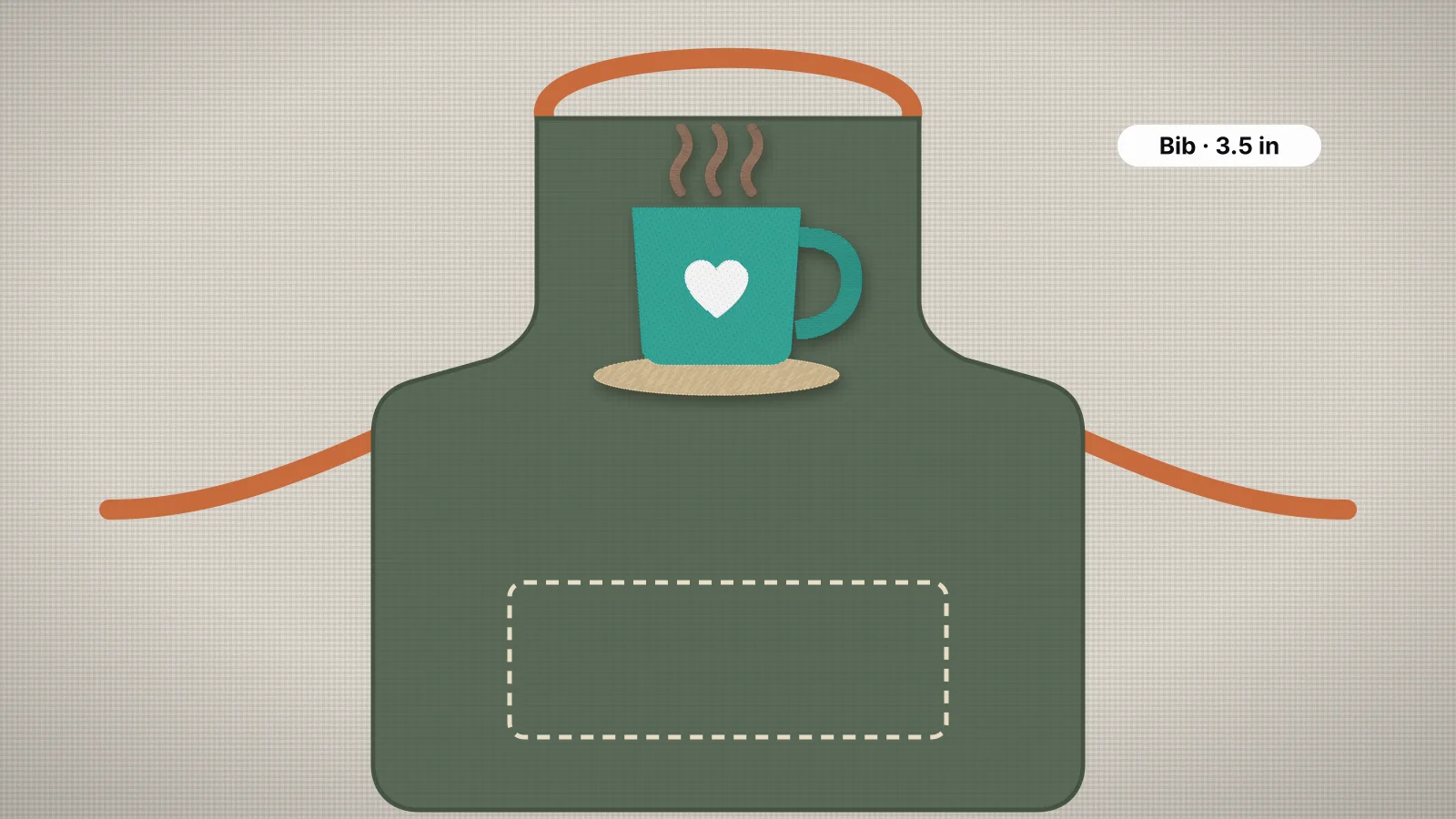
Aprons are workwear and gifts at the same time: café and bakery staff aprons with the shop's logo, a name on a grill apron for a birthday, a child's apron for baking. They're also friendly to embroider. Most are flat, sturdy woven fabric, such as cotton twill, poly-cotton or heavy canvas, with no stretch to fight.
The things to plan are placement and size on the bib or pocket, the right backing for the fabric's weight, and keeping straps, ties and pockets out of the needle's way. To digitize a café logo at the right size, start with the logo to embroidery file page.
Where designs go on an apron, and how big
| Placement | Design size | Where it sits | Good to know |
|---|---|---|---|
| Bib, centered | About 4–6 in (100–150 mm) wide; up to about 7 in on wide bibs | Centered side to side, top about 2–3 in below the top edge | The main spot for a café or shop logo |
| Bib, left chest | 3–4 in (75–100 mm) wide | On the wearer's left, near the top of the bib | Leaves room for a name on the right |
| Bib, right chest name | 2–3.5 in (50–90 mm) wide | Level with the left chest logo | Staff names, often with a job title |
| Usually about 2–4 in (50–100 mm) wide, inside the pocket with a margin | Centered on the pocket, or on one section of a divided pocket | Stitch only the pocket's front layer | |
| Waist apron | About 3–5 in (75–125 mm) wide | On the pocket, or above it at one side | Short half aprons leave little room above the pocket |
Aprons vary a lot in size and cut, so measure the bib or pocket you'll stitch. Put the apron on, or hang it from a hook, and hold a printout of the design against it: a logo centered on the flat bib can sit too low or too high once it's worn. The left chest and right chest size pages have the standard measurements, and the hoop template prints a true-size outline to check placement.
Canvas vs cotton: backing and needle
| Apron fabric | Backing | Needle | Good to know |
|---|---|---|---|
| Heavy canvas or duck | Medium tear-away (2 oz); two layers or a cut-away for dense logos | 80/12 or 90/14 sharp | Stable and forgiving; takes dense fills well |
| Denim | Medium tear-away; cut-away for dense designs or stretch denim | 80/12 or 90/14 sharp | Keep clear of thick seams and rivets |
| Cotton or poly-cotton twill | Medium tear-away; cut-away for dense logos on lighter twill | 75/11 or 80/12 sharp | The usual workwear apron fabric |
| Lightweight cotton or linen | Light cut-away or a medium tear-away | 75/11 sharp | Thinner fabric puckers under dense fills; keep designs lighter |
Canvas is the easy case: stable enough for tear-away, which leaves a clean inside. Lighter cotton and linen aprons are closer to shirting, and a dense logo can pucker them once the tear-away comes off, so step up to a light cut-away. Work aprons are often washed hot and frequently, so a cut-away is a sensible choice for dense logos on any apron that's laundered a lot. Use the woven preset in the digitizer for all of these, and see the denim guide for denim aprons.
Try it with your own design
Sign up free, upload an image and get a stitch preview in under a minute.
Drop your image here
PNG, JPG, WebP or SVG · stays on your device
Hooping around straps and ties
- Mark the center of the design with chalk or a water-soluble pen, plus a line square to the top edge so the design sews straight.
- Hoop the bib with the backing, smooth and firm. Most bibs are a single layer, so this is like hooping a flat piece of fabric.
- Tie or clip the neck strap and waist ties out of the way, so they can't drag under the presser foot or catch on the hoop as it moves.
- Keep the hoop and the design clear of the hems around the bib and pocket. Double-folded hems are thick, and the needle can deflect on them.
- Check underneath: only the bib and the backing should be under the needle, with the skirt of the apron folded clear.
Adjustable neck straps with metal hardware need extra care: keep the buckle well clear of the needle and the hoop's path. If a narrow bib is too small for the hoop to clamp, float it on sticky backing.
For a staff order, make a placement template from card cut to the shape of the bib, with the logo's center marked. Lay it on every apron, so the logos match across the team.
Embroidering apron pockets
A pocket is a second layer stitched onto the apron on three sides. Stitch through both and you sew the pocket shut, so only its front layer can go under the needle:
- Before it's sewn on: if you're making the apron, embroider the pocket piece flat, then attach it. It's the cleanest result.
- Unpick it: open the pocket's stitching, embroider it flat and sew it back on. Worth it on a few aprons; slow on a big order.
- Slide the hoop in: on a large pocket, slip the hoop's outer ring and the backing inside the pocket so only its front layer is hooped. Small pockets won't take a hoop.
- Above the pocket instead: if none of these is practical, put the design on the apron just above the pocket.
On divided pockets, such as the pen and notepad slots on café aprons, center the design on one section and keep it clear of the dividing seams.
Logos for cafés and names for gifts
- Café and shop logos: digitize the logo once at the apron size and keep that file for every reorder. If the same logo goes on shirts and caps too, make a file at each size rather than stretching one, since scaling a stitch file by more than about 10% throws off its density.
- Staff names: a bold block font with capitals about 8–13 mm (0.3–0.5 in) tall reads across a counter. Put names on the right chest of the bib, level with the logo.
- Gifts: a name with a small motif, such as the free coffee mug or lemons designs, suits kitchen and café aprons. The text to embroidery tool makes the name.
- Kids' aprons: smaller bibs take designs of about 2.5–4 in (65–100 mm), with a rounded font about 15 mm tall or more.
Pricing a café order? The stitch count is the starting point for the embroidery pricing calculator, and the logo digitizing guide covers preparing the artwork.
Step-by-step: embroidering an apron
- Decide the placement, measure the bib or pocket and choose the design width.
- Open the digitizer, sign in with your free account and add the logo or artwork, ideally an SVG or a PNG at least 1,000 px across.
- Choose the woven preset, set the width and read the design check, which flags details under about 0.8 mm and lettering under about 5 mm.
- Check the stitch count, then download your machine's format, or DST for a shop's multi-needle machine. Digitizing and previewing are free with your account; downloads need a plan.
- Hoop the apron with the right backing, tie the straps clear and fit the needle for the fabric.
- Sew a test on a spare apron or a scrap of the same fabric, then stitch the order.
- Tear away or trim the backing and press from the back.