A design check before every download
Every design is checked for what usually goes wrong on the machine: lettering and lines too fine to sew, a size too small for its detail, more colors or trims than a single-needle machine handles comfortably, and stitch counts that take a long time.
- Free stitch preview
- 9 machine formats
- Runs in your browser
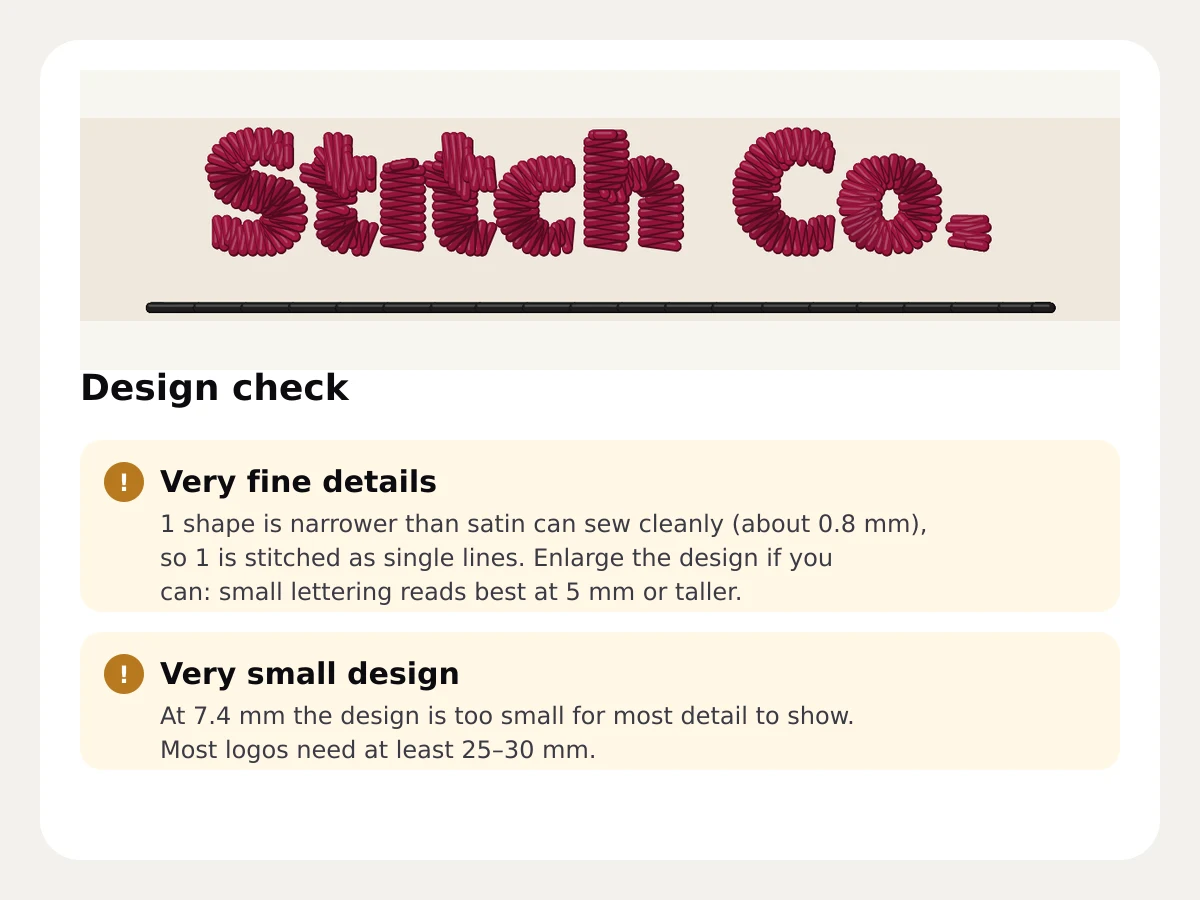
- Finest detail satin sews cleanly
- 0.8 mm
- Finest detail satin sews cleanly
- Smallest side before a size note
- 15 mm
- Smallest side before a size note
- Colors before a thread-change note
- 12
- Colors before a thread-change note
- Stitches before a sew-time note
- 60,000
- Stitches before a sew-time note
What it checks
The check reads the finished stitches, not just the picture. It counts shapes narrower than about 0.8 mm, compares the size with what a common 200 × 300 mm hoop holds, and looks at colors, trims and the stitch count.
- Very fine details and small lettering
- Very small designs, and designs larger than most hoops
- Many colors, trims or stitches
- Parts of the image left unstitched
A fix with every note
Each note says what to change: enlarge the design so small lettering reaches 5 mm, lower the number of colors or merge similar ones, or lower the fill density to save stitches. Change the setting and the check runs again.
- Fixes you can make in the digitizer
- Runs again after every change
- “Ready to stitch” when nothing's wrong
Free account · No credit card needed
Check files you already have
Have a DST or PES from somewhere else? The free embroidery file checker finds long loose stitches, tiny stacked stitches and missing tie-offs, and the file repair tool fixes them.
- Long stitches that snag
- Tiny stitches that break thread
- Missing tie-offs
Try it on your own design
Drop a logo, drawing or lettering here and see it stitched, with every setting on this page applied, in about a minute.
Drop your image here
PNG, JPG, SVG, PDF or AI · stays on your device
Free tools for this
- Free toolEmbroidery file checkerScore any stitch file before you sew: hoop fit, long and tiny stitches, density heatmap, trims and colors.Open
- Free toolEmbroidery image checkerUpload an image and see if it's ready to digitize: colors, fine detail, resolution and fixes.Open
- Free previewEmbroidery file repairFix a stitch file before it breaks thread: split long stitches, remove tiny ones and add missing tie-offs.Open
Free account
See your own design stitched
Create a free account to digitize any image, try every setting and watch it sew. Choose a plan only when you want to download files.
- Digitize and preview any image
- Realistic stitch preview and sew-out
- Download free ready-made designs
- No credit card needed


Automatic design check: questions
The quickest way to see what it does with your artwork is to try it. With a free account, digitizing and previewing cost nothing and take about a minute.
What does the embroidery design check look for?
Details narrower than about 0.8 mm, designs under 15 mm on a side or larger than 200 × 300 mm, more than 12 colors, more than 60,000 stitches, many trims, and parts of the image left unstitched. Each note comes with a fix.
Is the design check free?
Yes. It runs on every design in the digitizer with a free account, before you download.
What is the smallest text that embroiders well?
Lettering reads best at 5 mm tall or taller. Strokes under about 0.8 mm can't be sewn as satin, so they're stitched as single lines and flagged by the check.
Can the design check look at an existing embroidery file?
Use the free embroidery file checker for DST, PES, JEF and other files: it finds stitches that snag or break thread and missing tie-offs.
Guides on this
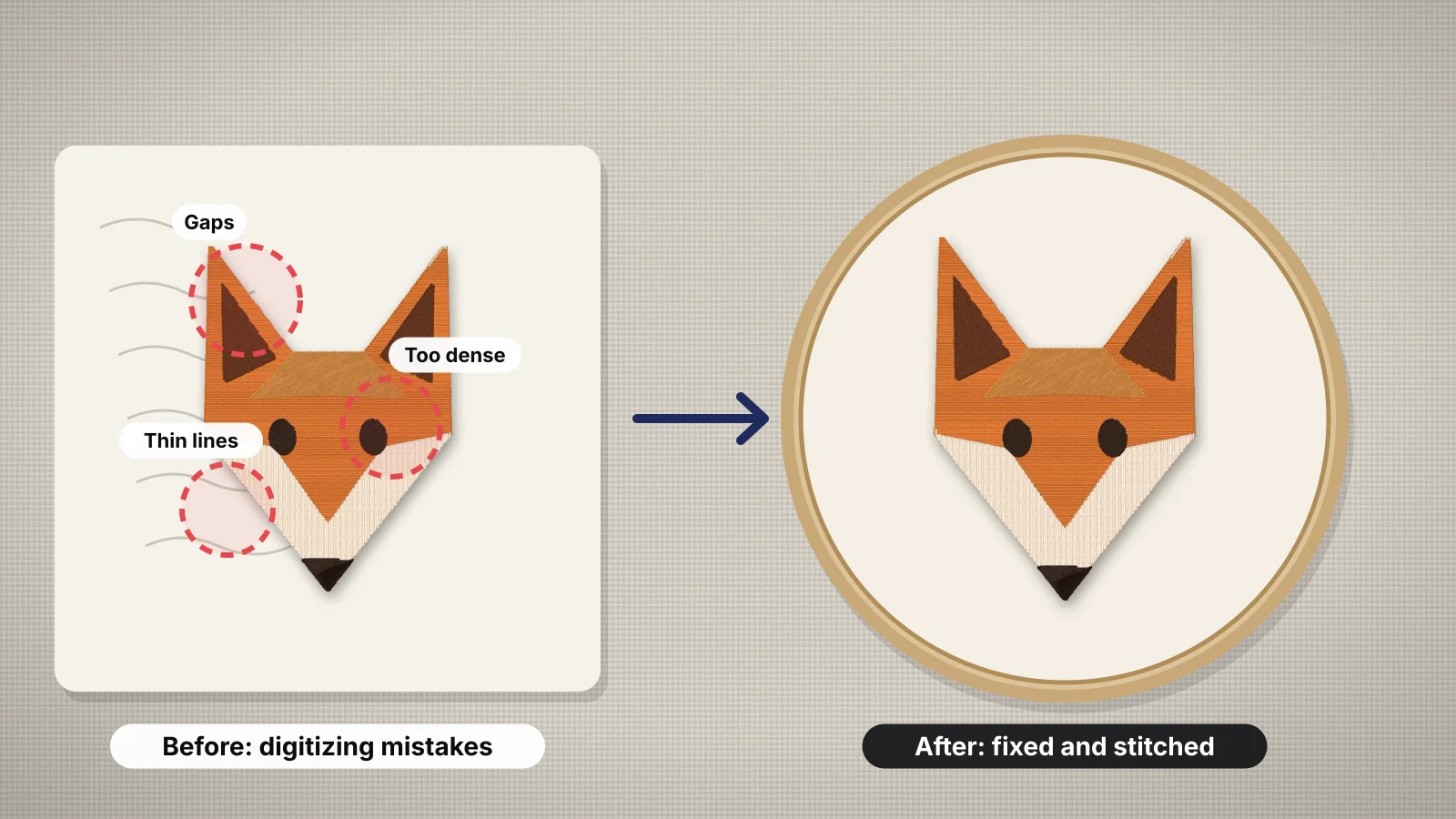 11 min readEmbroidery digitizing mistakes and how to fix themFourteen common digitizing errors in one table, then each in detail: wrong size and small text, density, underlay and pull compensation, stitch type by width and long satins, colors and gradients, sewing order, jumps, trims and tie-offs, fabric, format and test sew-outs, and which of them Embrizo's digitizer handles for you.Read the guide
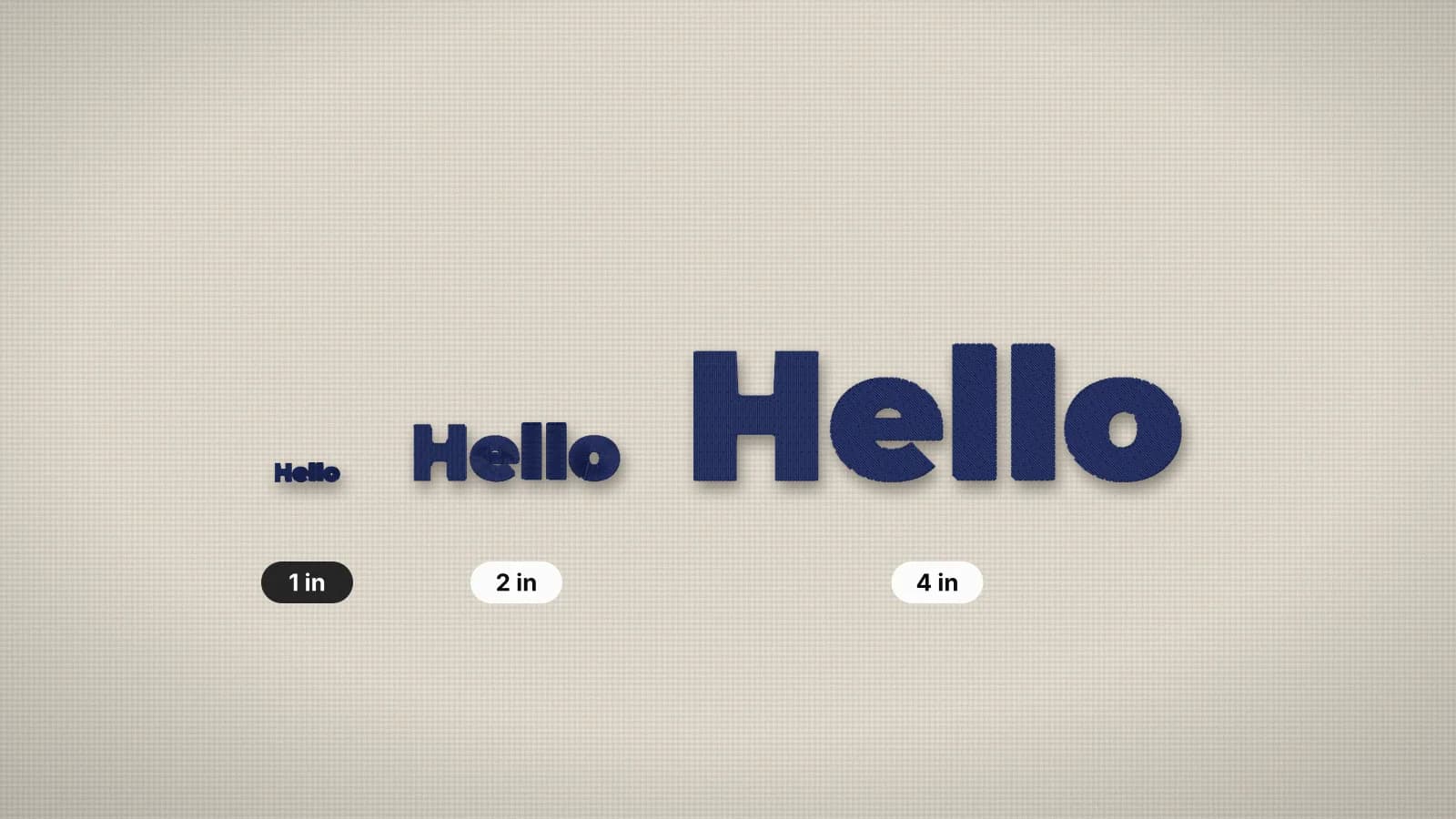 6 min readMinimum text size for embroideryHow small embroidered text can go, and how to make small lettering readable.Read the guide
 6 min readHow to check an embroidery file before stitchingA pre-stitch checklist: size against the hoop, stitch count and sew time, long satin stitches that snag, tiny stitches that shred thread, density, trims and jumps, colors and format, then a test sew-out.Read the guide
Your design, ready to stitch
Sign up free, upload an image and see it stitched in under a minute. Your image stays on your device.