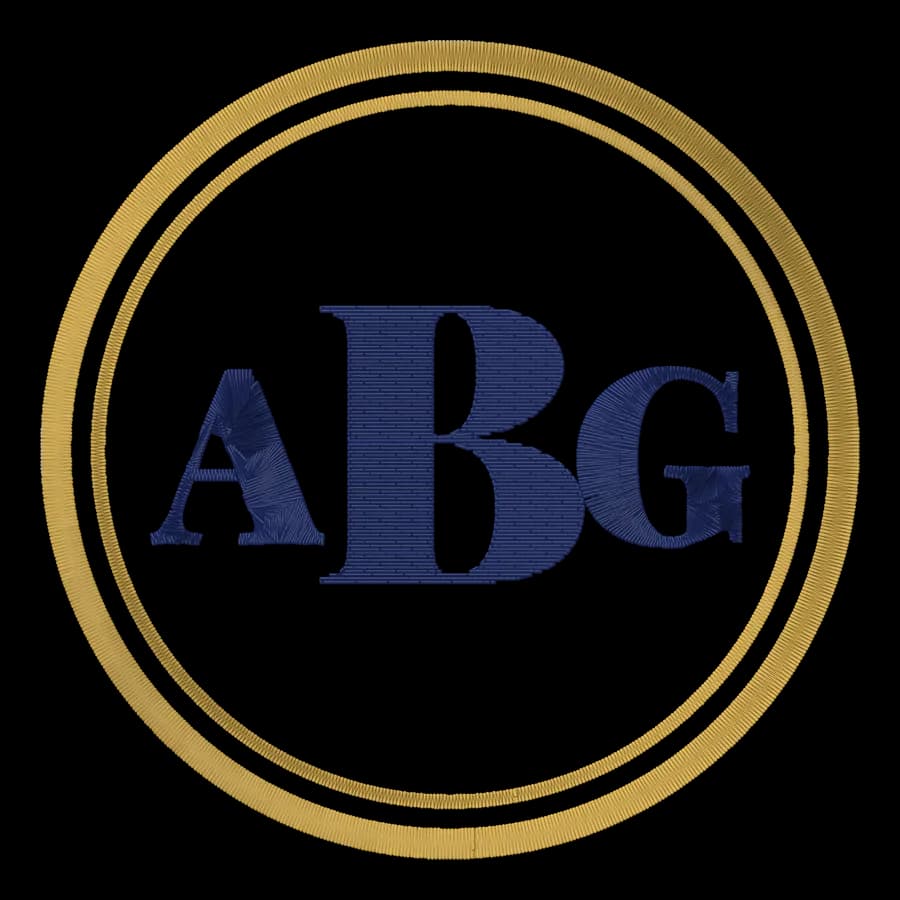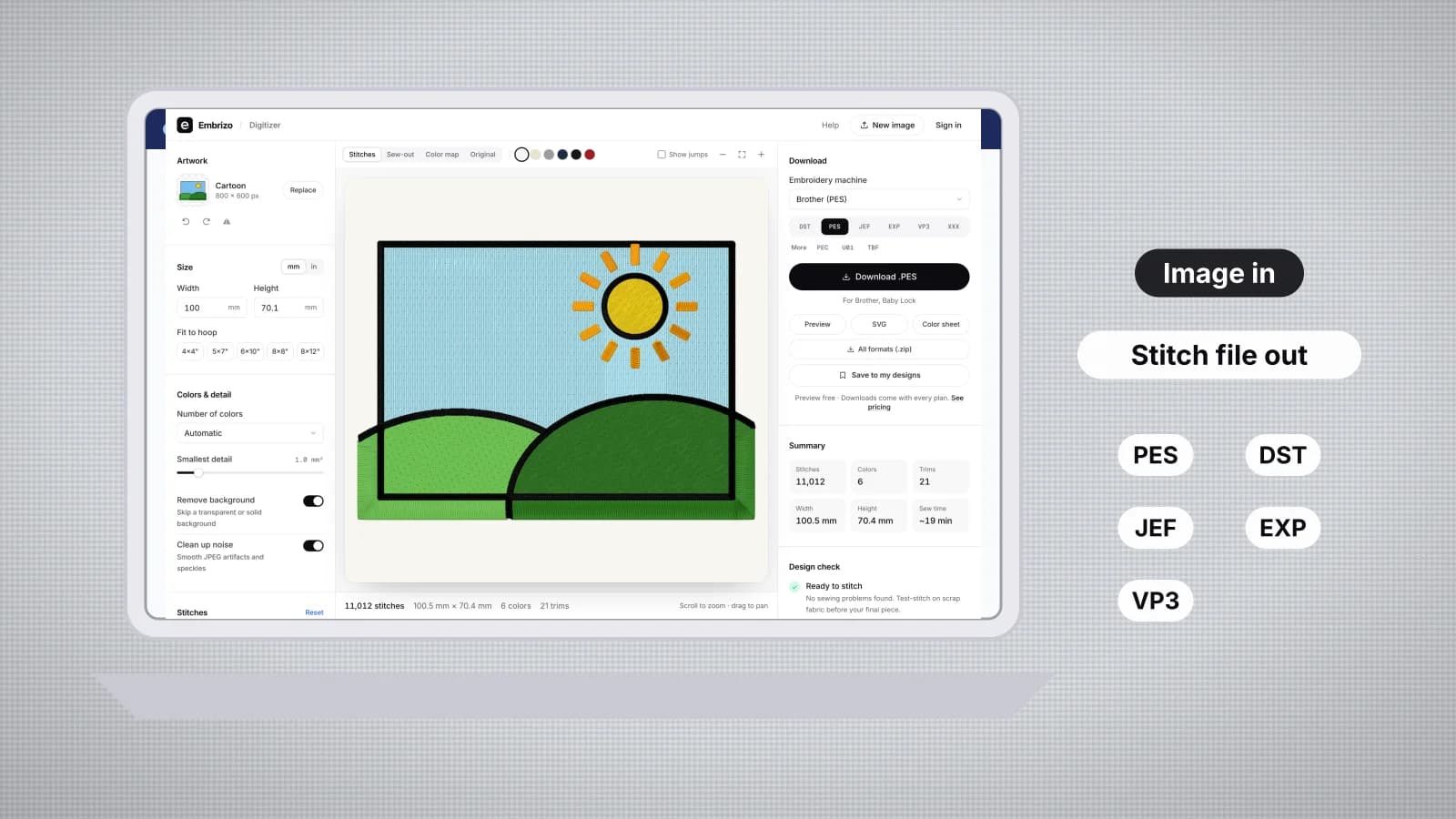
An AI embroidery digitizer, or auto-digitizer, turns a picture into a machine file without you placing each stitch. It used to be a feature buried in expensive desktop suites; now you can do it in a browser. The results differ a lot, though: in how much cleanup the image needs first, how the stitches are planned for the fabric, which machine formats come out, and what it takes to get started.
This guide ranks the main options for turning logos and artwork into stitch files, with what each is best for. Facts about other products come from the comparison pages, which cite the vendors' own sites and were checked in October 2026; each name below links to a full comparison with prices. If you'd rather not digitize at all, there's a section on digitizing services too.
What an AI digitizer actually does
Auto-digitizing reads an image's colors and shapes, then plans stitches for each one:
- Colors become threads. The image is reduced to a few flat colors, each matched to a thread.
- Shapes get a stitch type. Narrow shapes such as lettering and borders become satin, wide areas get tatami fill, and thin lines become running or bean stitch.
- Structure is added. Underlay, pull compensation, fill angles and a sewing order that keeps trims down.
- A machine file is written in your machine's format, such as PES for Brother or DST for commercial machines.
Most of the difference between a good and a poor auto-digitizer is in the third step. A file can look right on screen and still pucker, gap or sew stiff if the structure is wrong. The auto-digitizing entry sums up the term.
How to judge an AI digitizer
| What to check | Why it matters |
|---|---|
| Image cleanup | Some programs expect you to reduce the picture to flat colors, or trace it, before they can digitize it; others do it for you |
| Fabric settings | Knits, towels and caps need different density, underlay and pull compensation than woven cotton |
| Stitch preview | A realistic preview and sew-out show problems before thread and fabric are spent |
| Machine formats | It has to write the format your machine reads, ideally with the thread colors |
| Platform | Windows-only software needs Windows, or Windows in a virtual machine, on a Mac |
| Editing afterwards | Changing the size, colors and stitch types without starting over saves time |
| Cost to start | One-time licenses, subscriptions and free tiers vary widely; the comparison pages list current prices |
Try it with your own design
Sign up free, upload an image and get a stitch preview in under a minute.
Drop your image here
PNG, JPG, WebP or SVG · stays on your device
The best AI embroidery digitizers at a glance
| Rank | Digitizer | Runs on | Auto-digitizing | Best for |
|---|---|---|---|---|
| 1 | Embrizo | Any browser: Windows, Mac, Linux, Chromebook | Yes, from PNG, JPG, WebP or SVG, in seconds | Turning logos and artwork into machine files on any computer |
| 2 | Hatch Embroidery | Windows only | In the Composer and Digitizer levels | Auto and hand digitizing on a Windows PC |
| 3 | Brother PE-DESIGN | Windows only | Auto Punch and PhotoStitch wizards | Brother owners who want Brother's own software |
| 4 | Ricoma Chroma | Mac and Windows, online | Yes, in every tier | Ricoma owners who want one vendor |
| 5 | Wilcom EmbroideryStudio | Windows only | In the Decorating and Designing levels | Professional digitizing and production |
| 6 | BERNINA Embroidery Software | Windows only | Yes, in both levels | BERNINA owners |
| 7 | SewArt | Windows only | Yes, after reducing the image to flat colors | Low-cost image-to-stitch on a Windows PC |
| 8 | Embird | Windows only | A Trace tool in the Digitizing Tools plug-in | Managing, editing and digitizing designs on a PC |
| 9 | Brother Artspira | iPhone, iPad and Android | Image to Embroidery, in Artspira+ | Brother wireless machine owners designing on a phone |
Ranked for turning logos, drawings and artwork into machine files quickly and reliably, not for the number of features. If you digitize by hand for a living, a professional suite may rank higher for you.
A closer look at each option
- Embrizo: best overall. A browser-based AI digitizer with nothing to install. Upload a PNG, JPG, WebP or SVG and it picks the thread colors, chooses fill, satin or running stitch for each shape, and adds underlay and pull compensation for the fabric preset you choose: Woven, Knit, Stretch, fleece and towel, or leather and vinyl. You can change the size, fill and satin density, colors and stitch types, merge colors, rotate or mirror, then watch a realistic sew-out and read a design check before you download DST, PES, JEF, EXP, VP3, XXX, PEC, U01 or TBF. A free account digitizes, previews and saves designs; plans cover downloading your own designs.
- Hatch Embroidery: best Windows desktop suite. Wilcom's software for home and hobby embroiderers, in four levels bought once. Auto-digitizing is in Composer and Digitizer, and full hand digitizing in Digitizer. Windows 11 only, with a 30-day trial.
- Brother PE-DESIGN: best for Brother owners on Windows. Brother's own software, with the Auto Punch and PhotoStitch wizards for converting images and digitizing and editing tools alongside them. Windows 10 and 11; a one-time purchase.
- Ricoma Chroma: best for Ricoma owners. Runs on Windows and macOS with an internet connection, with one-click auto-digitizing from PNG, JPEG or vector files from the entry Inspire tier. In the US the first 12 months are paid up front.
- Wilcom EmbroideryStudio: best for professional digitizers. A full professional Windows suite, with auto-digitizing from images in its Decorating and Designing levels, sold as a subscription or a perpetual license, with a 14-day trial.
- BERNINA Embroidery Software: best for BERNINA owners. Auto-digitizing, Instant Auto Digitizing and Magic Wand tools in both levels, on Windows 10 or 11, with a 30-day trial.
- SewArt: low-cost Windows converter. A one-time Windows image-to-stitch program. Results depend on cleaning the image up into flat, uniform colors first, and its 30-day demo saves files with up to 3 colors.
- Embird: modular Windows suite. The basic program manages, converts and edits designs; digitizing is in the separate Digitizing Tools plug-in, whose Trace tool turns the image areas you select into stitch objects.
- Brother Artspira: phone app for Brother wireless machines. Image to Embroidery is in the paid Artspira+, and designs go to the machine wirelessly; Brother says they can't be taken out of the app.
Software that isn't an auto-digitizer
- [Embrilliance](/compare/embrilliance-alternative) runs on Mac and Windows as one-time modules: Essentials for editing, lettering and converting, and StitchArtist for digitizing by hand. The vendor says StitchArtist isn't an auto-digitizer; Level 3 can trace line art.
- [Ink/Stitch](/compare/ink-stitch-alternative) is a free, open-source extension for the Inkscape vector editor on Windows, macOS and Linux. You set stitch types on each vector path, and images are traced in Inkscape and cleaned up first.
- [TrueSizer](/compare/truesizer-alternative) runs in a browser as part of WilcomWorkspace, but it opens existing designs to view, resize, recolor and export. It doesn't turn images into stitches.
Head-to-head pages compare pairs directly, such as Hatch vs Embrilliance and Hatch vs PE-DESIGN. There are also lists of the best embroidery software for Mac, the best for beginners and what's genuinely free in embroidery digitizing.
When a digitizing service is the better choice
A digitizing service has a person build each file by hand and send it back, usually within a few business days and for a fee per design. That's still the better route for some jobs:
- Photo-realistic thread painting with blended shades.
- 3D puff, appliqué, sequins and other specialty techniques that need custom underlay and stops planned by hand.
- Very small lettering on structured caps, where manual tuning helps.
- A brand-critical logo where you want a digitizer's judgment on every object.
For logos, lettering, patches and clip art, an AI digitizer gets you a file in seconds and lets you change it as often as you like. The embroidery digitizing service page compares the two, and embroidery digitizing cost explains what drives a service's fees.
Practice on a free design
124 ready-to-sew designs in every machine format, free with an account.
How to test an AI digitizer yourself
- Pick three test images: a simple logo with lettering, a cartoon with several colors, and something with fine detail.
- Digitize each one at the size you'll sew, with the right fabric setting.
- Compare the previews and stitch counts: look for gaps between colors, lettering that closes up and fills that look too dense.
- Open each file in the embroidery file viewer or the embroidery file checker to see how it was built.
- Sew the best one on scrap of the real fabric before you decide.
To test Embrizo, create a free account and upload an image to the digitizer: the stitch preview, sew-out and design check appear in seconds. Downloading your own designs needs a plan.